
View Cloud Phone Parameters
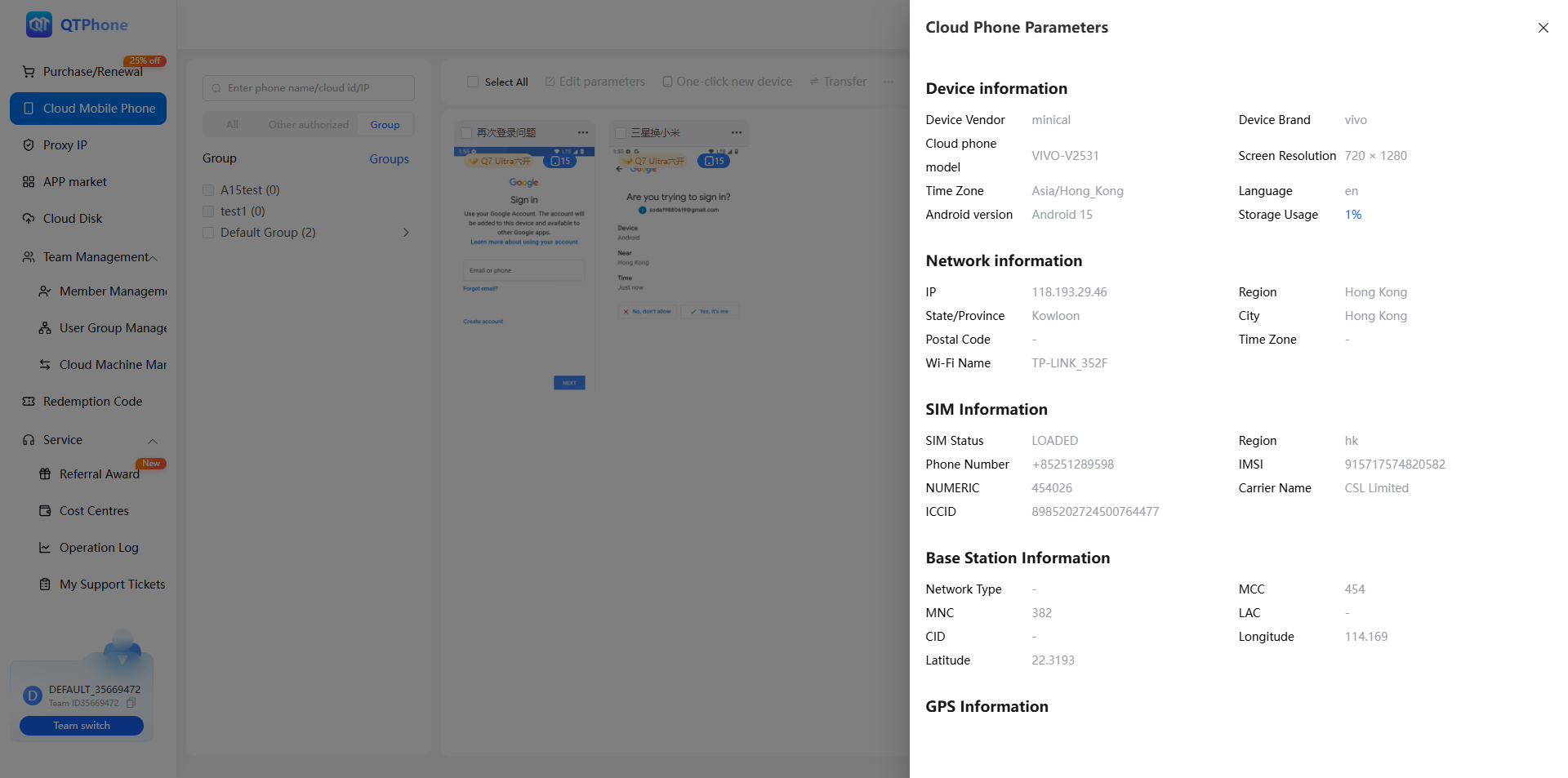
View the detailed parameter information of a cloud phone, including device, system, network, SIM card, location, and Bluetooth information.
1. Viewable Parameters
| Category | Parameters |
|---|---|
| Device information | Device vendor, device brand, device model, Android version, IMEI, WLAN MAC address, screen cast resolution |
| System information | System timezone, system language |
| Network information | Public IP, network region, state/province, city, IP country/state, postcode, Wi-Fi name, network type |
| SIM card information | SIM status, SIM region, phone number, IMSI, MCC+MNC, carrier name, ICCID, MCC, MNC, LAC, CID |
| Location information | Longitude, latitude |
| Bluetooth information | Bluetooth device name, Bluetooth MAC address |
2. Prerequisites
- A purchased cloud phone visible in the My Cloud Phones list.
3. Steps
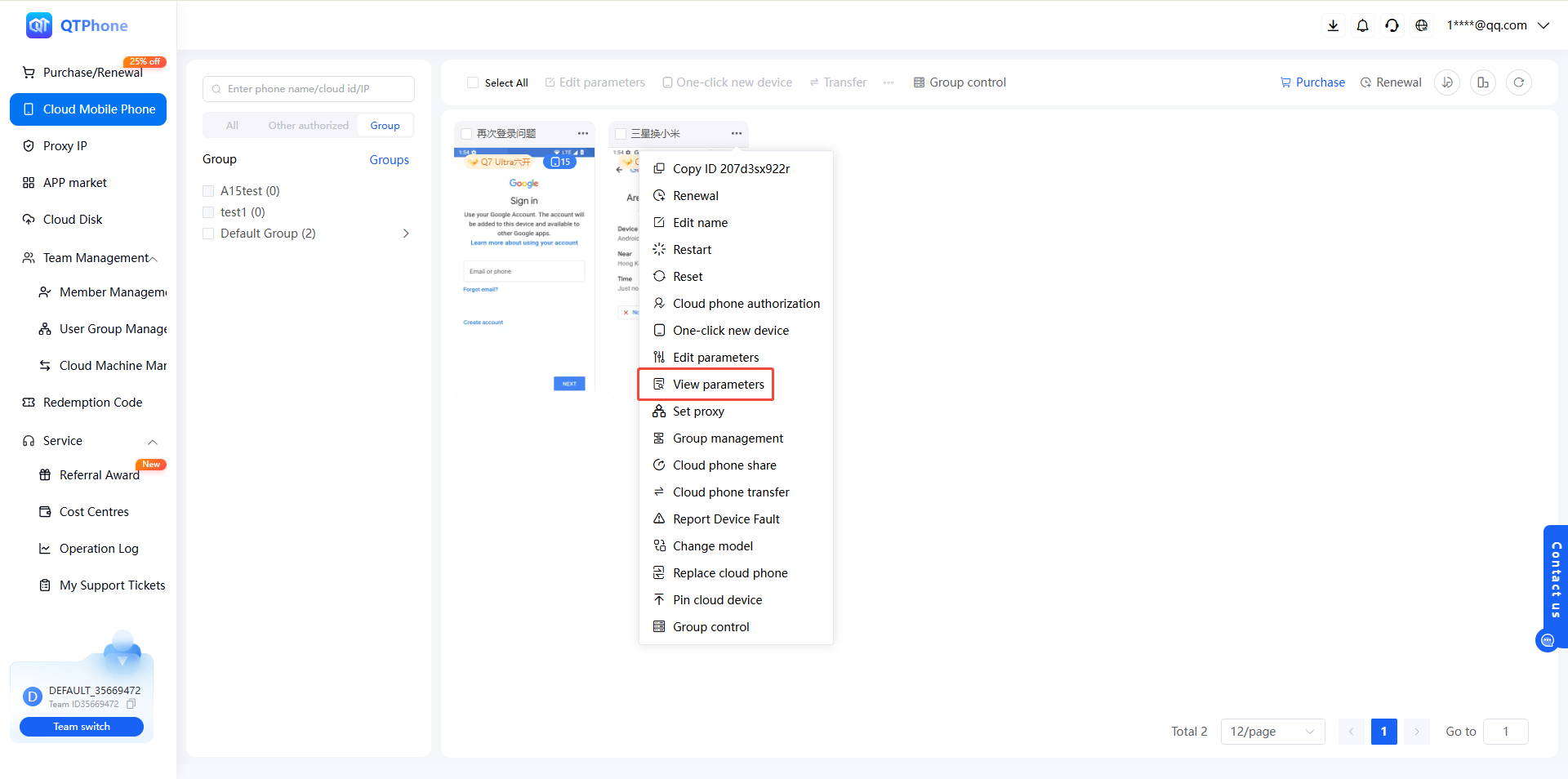
- Go to the My Cloud Phones list;
- Find the target cloud phone and click View Parameters in the cloud phone operations;
- View the detailed parameter information in the dialog.
4. Notes
- The device and SIM card information in the parameters (IMEI, IMSI, ICCID, etc.) is simulated device information generated by the cloud phone;
- Network information such as the public IP and network region reflects the cloud phone's current network environment (including proxy).
5. FAQ
Q1: How do I confirm a parameter change has taken effect? Run View Parameters again and check whether the target parameters have been updated — see Modify Cloud Phone Parameters.
Q2: How do developers view parameters via the API? Use the View Cloud Phone Config API with the container ID to get the detailed parameters.