
Purchase and Renew Cloud Phones
Through the Purchase/Renew module , you can purchase new cloud phones or renew existing ones under your account to extend their usage duration.
1. Overview
| Function | Description |
|---|---|
| Purchase a cloud phone | Select the device model, Android version, brand model, and plan as needed. The cloud phone becomes available immediately after the purchase |
| Renew a cloud phone | Extend the usage duration of an existing cloud phone under your account |
Supported payment methods: PayPal, WeChat Pay, Alipay, VISA, Google Pay, and more (31 in total).
For the complete beginner workflow from registration to purchase, see Create a Cloud Phone.
2. Prerequisites
- A registered QTPhone account, logged in
- An available payment method (e.g., PayPal, WeChat Pay, Alipay, VISA, or Google Pay)
3. Steps
1. Open Purchase/Renew
After logging in, click Purchase/Renew in the left navigation. You can also use the Buy Cloud Phone Now shortcut on the home page.
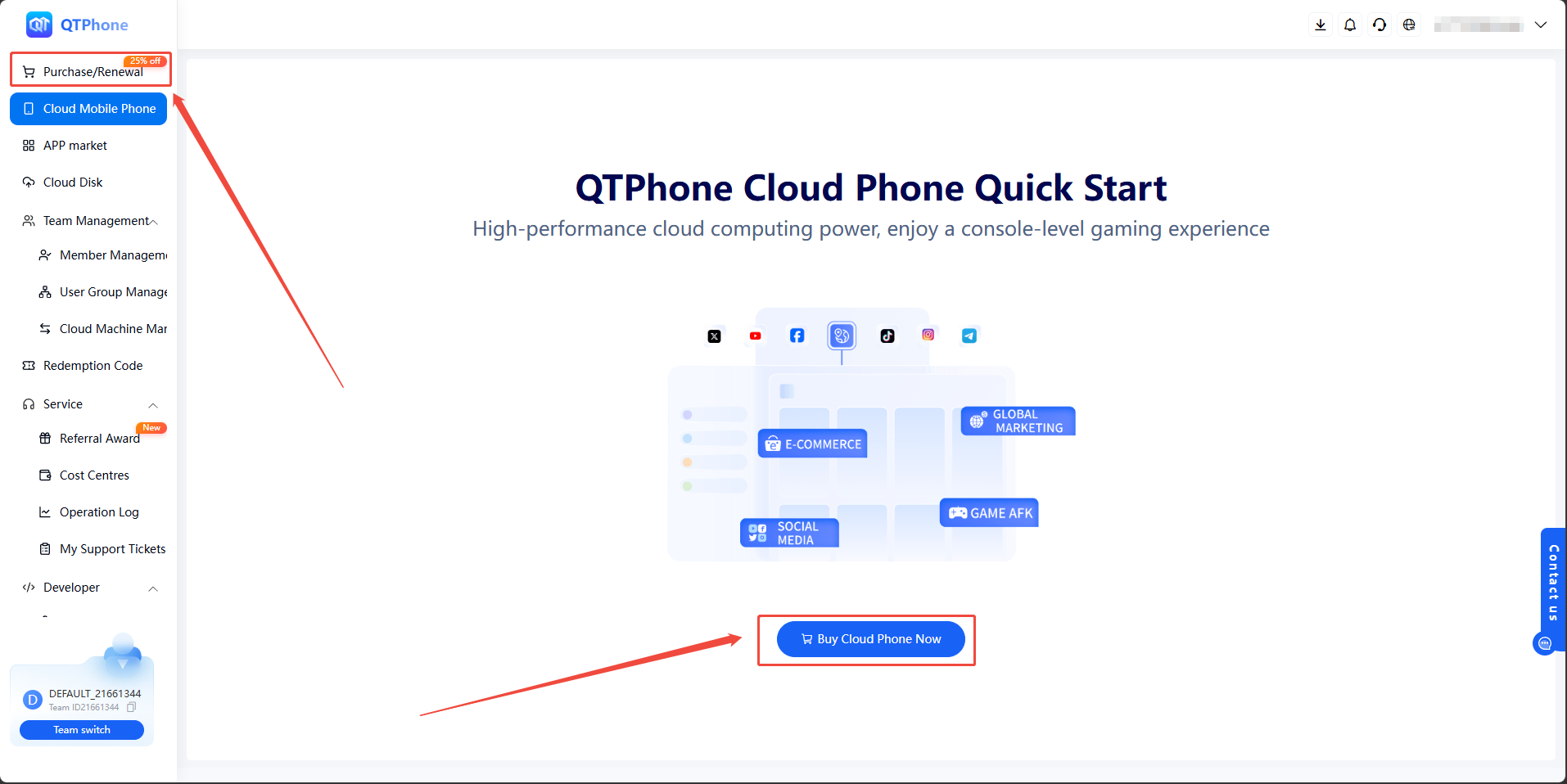
2. Purchase a Cloud Phone
- Select the product information as needed: device model, Android version, brand model, and plan;
- After confirming the configuration, click the Buy Cloud Phone button in the lower right corner;
- Select a payment method, click Submit Purchase, and complete the payment as prompted.
Once the purchase is complete, the cloud phone becomes available and can be used from the My Cloud Phones list.
3. Renew a Cloud Phone
- On the Purchase/Renew page, select the cloud phone to renew;
- Select the renewal duration;
- Confirm the order, choose a payment method, and complete the payment.

After the payment succeeds, the renewed duration is automatically added to the corresponding cloud phone.
4. Notes
- Carefully check the selected configuration and duration before placing an order
- When renewing with a redeem code, the cloud phone type, quantity, and renewal duration must match the code, otherwise the redemption will fail. See Redeem Code
- Each redeem code can only be used once
5. FAQ
Q1: Which payment methods are supported?
PayPal, WeChat Pay, Alipay, VISA, Google Pay, and more — 31 payment methods in total.
Q2: When does the renewed duration take effect?
After the payment succeeds, the renewed duration is automatically added to the corresponding cloud phone. No extra action is required.
Q3: Can I renew with a redeem code?
Yes. Go to the Redeem Code module and click Renew to use a code for the specified cloud phones. See Redeem Code for the rules.
Q4: What if I selected the wrong configuration when purchasing?
Each cloud phone comes with 99 refresh counts per month, which can be used to change the device model or replace the cloud phone. See Change Device Model and Replace Cloud Phone in the operation guide.