
Redeem Code
Activate QTPhone services with a redemption code: redeem one or more cloud phones, or renew specified cloud phones under your account.
1. Feature Overview
- New redemption: click New to redeem one or more cloud phones with a redemption code;
- Renewal: click Renew to renew specified cloud phones under your account with a redemption code;
- Redemption records: view historical redemption records.
Redemption differences by cloud phone type:
| Cloud phone type | Android version | model |
|---|---|---|
| Standard cloud machine | Not required | Model selection unavailable |
| Premium real device | Required (randomly assigned if not selected) | Model selectable |
2. Prerequisites
- A registered and logged-in QTPhone account;
- A redemption code obtained through official channels.
3. Steps
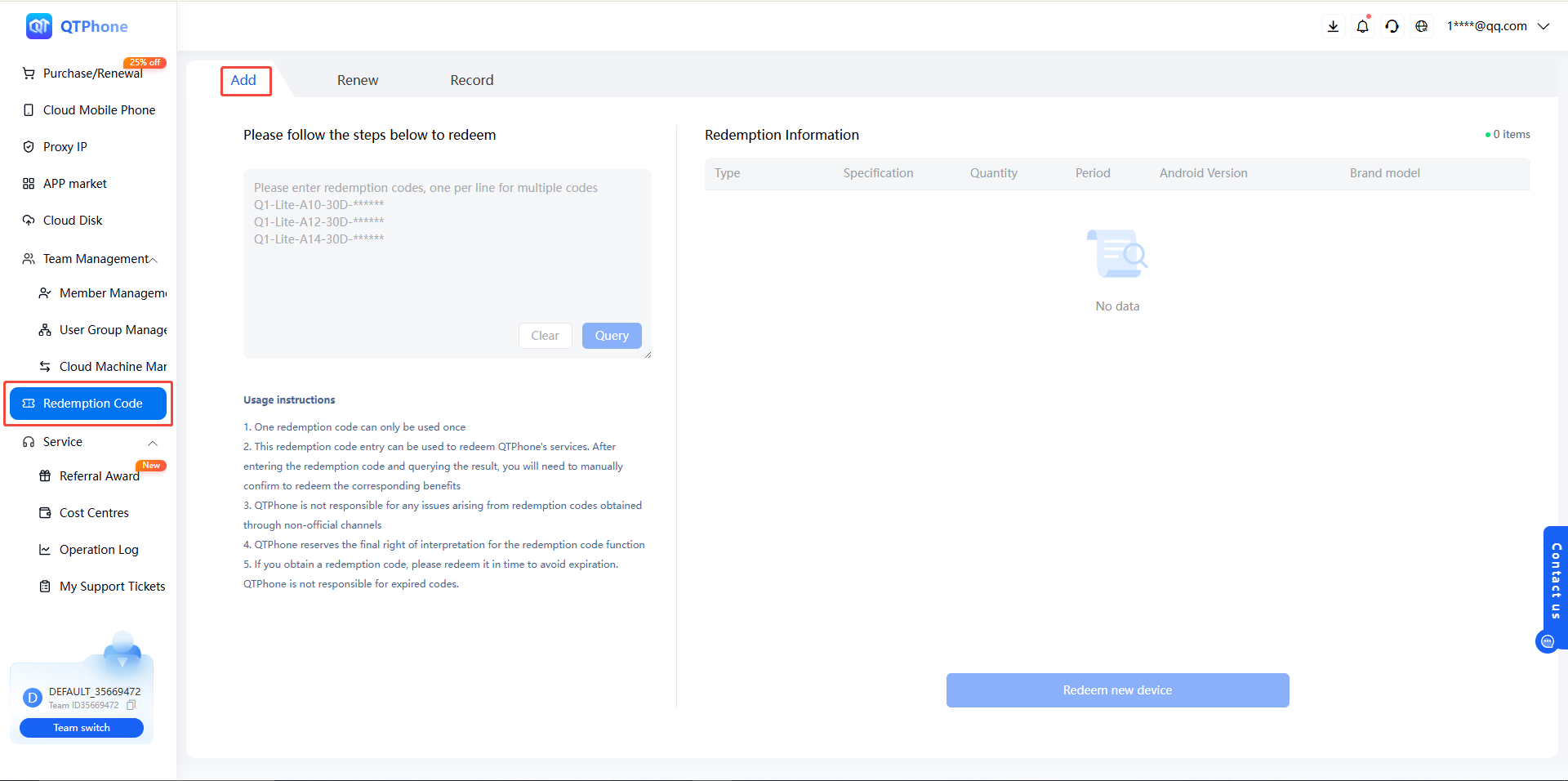
1. New Redemption
- After registering and logging in, go to the Redeem Code module;
- Click New;
- Enter the redemption code and search; after confirming the result, manually confirm the redemption of the corresponding benefits;
- Select according to the cloud phone type:
- Premium real device: select the Android version (randomly assigned if not selected); optionally select a fixed model;
- Standard cloud machine: no Android version selection needed; model cannot be selected;
- Complete the redemption — one or more cloud phones can be redeemed.
2. Renewal
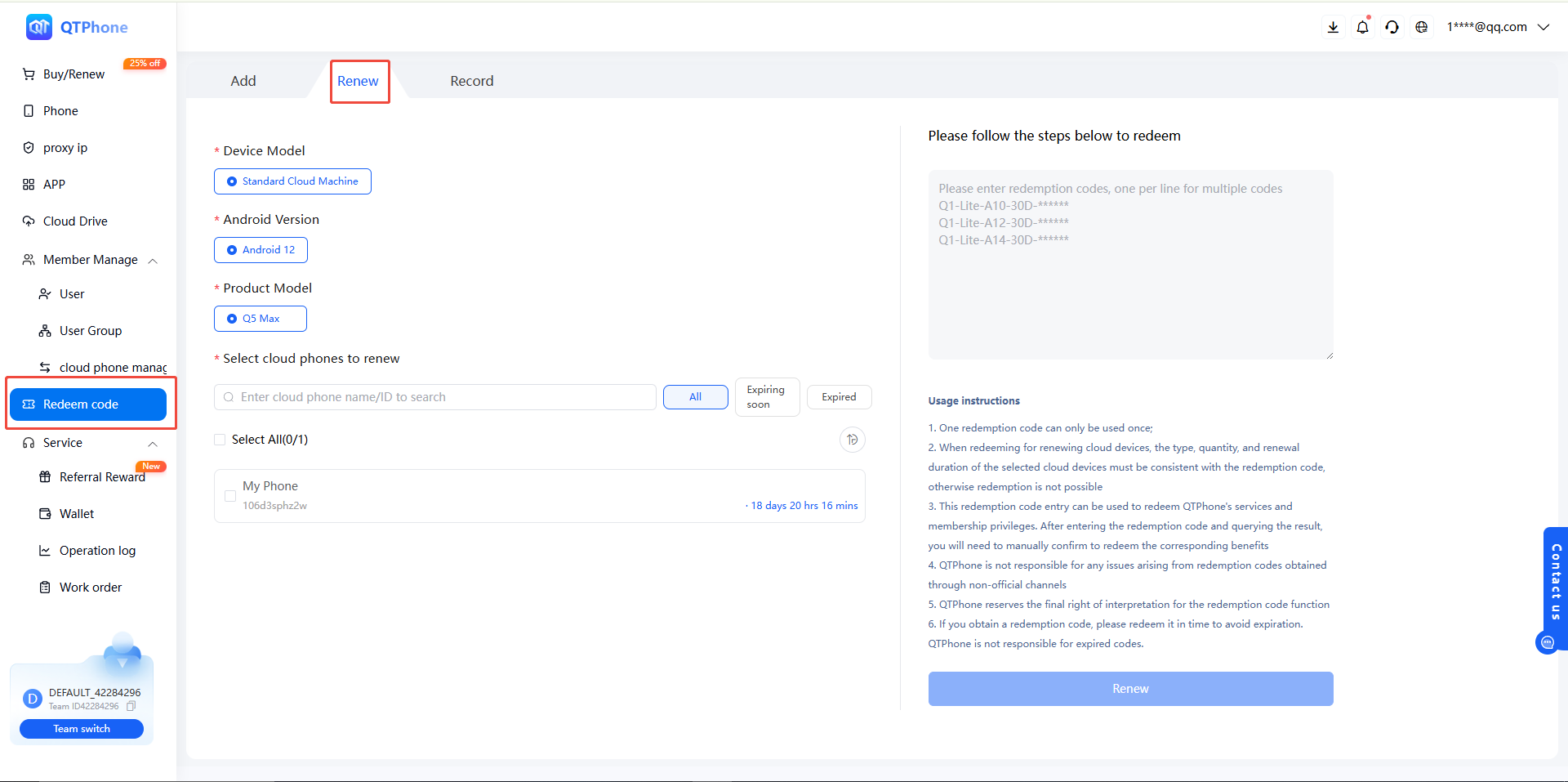
- Go to the Redeem Code module and click Renew;
- Select the cloud phones under your account to renew;
- Confirm that the cloud phone type, quantity, and renewal duration match the redemption code, then complete the redemption.
3. View Redemption Records
Click Redemption Records to view historical redemption records.
4. Notes
- Each redemption code can be used only once;
- When redeeming for renewal, the selected cloud phone type, quantity, and renewal duration must match the redemption code; otherwise the redemption will fail;
- After the redemption code search returns a result, you must manually confirm before the benefits are redeemed;
- QTPhone is not responsible for issues arising from redemption codes obtained through unofficial channels;
- Redeem your code promptly to avoid expiration; QTPhone is not responsible for expired codes;
- QTPhone reserves the right of final interpretation of the redemption code feature.
5. FAQ
Q1: Must I select an Android version when redeeming a premium real device? It is recommended. If not selected, the system will randomly assign an Android version.
Q2: Does a standard cloud machine require an Android version? No. Standard cloud machines do not require Android version selection.
Q3: Can a redemption code be used more than once? No, each redemption code can be used only once.
Q4: What if the renewal redemption fails? Check whether the selected cloud phone type, quantity, and renewal duration match the redemption code; a mismatch will cause the redemption to fail.
Q5: Where can I view historical redemption records? Go to the Redeem Code module and click Redemption Records.