
Replace Cloud Phone
Replace Cloud Phone swaps the current cloud phone for a brand-new cloud phone instance with fresh device fingerprint and other information. It is useful when the cloud phone environment is abnormal or you need a brand-new device. Replacing a cloud phone consumes the cloud phone's refresh attempts — each cloud phone comes with 99 refresh attempts per month, shared with the change-device-model and Quick New Device features.
⚠️ Warning: After the replacement, all data on the cloud phone will be cleared and cannot be recovered. Back up before executing.
1. Replacement Rules
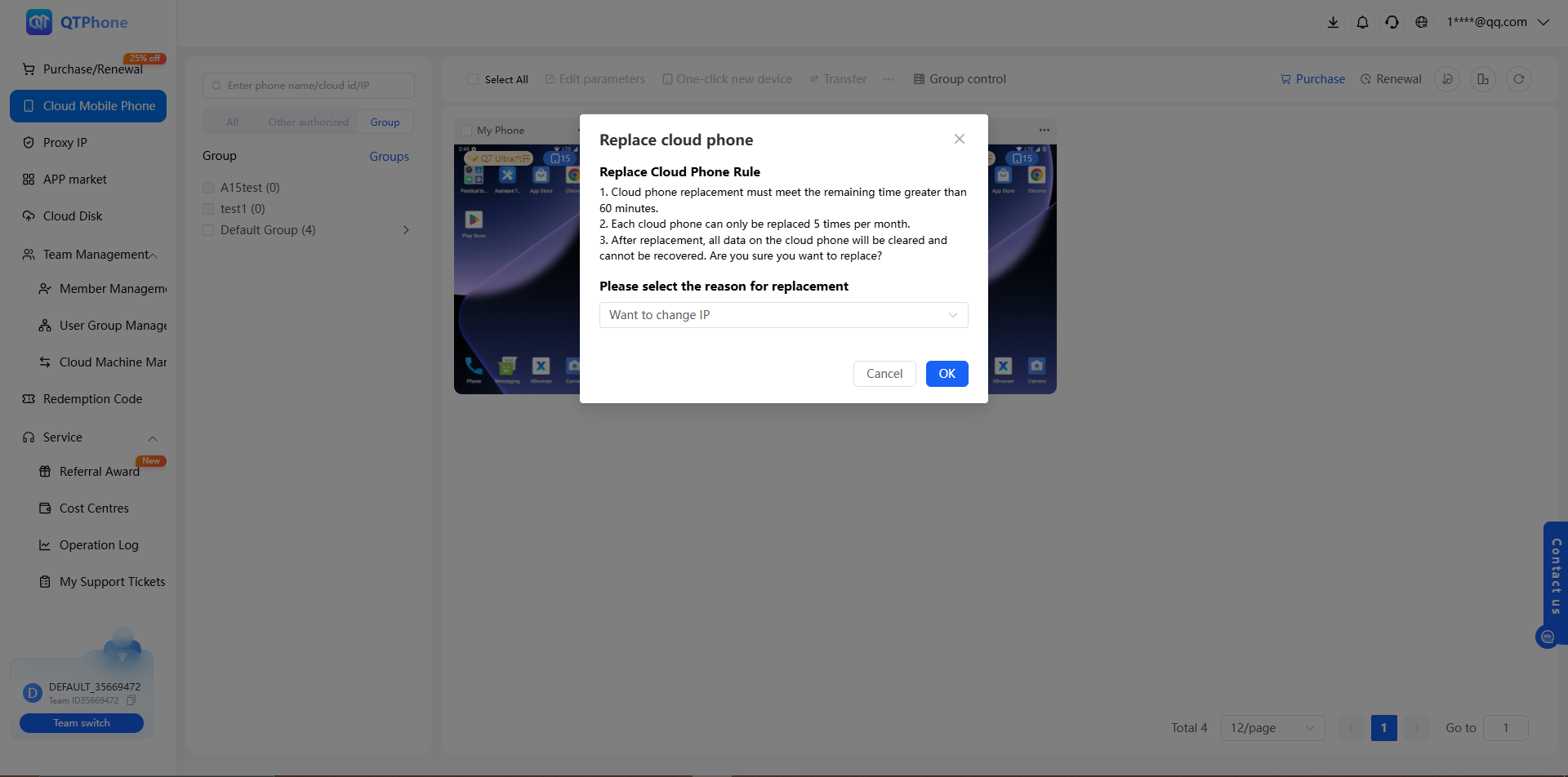
- The cloud phone must have more than 60 minutes of remaining time to be replaceable;
- Replacing a cloud phone consumes refresh attempts — each cloud phone comes with 99 attempts per month, shared with the change-device-model and Quick New Device features;
- After the replacement, all data on the cloud phone will be cleared and cannot be recovered.
2. Prerequisites
- The cloud phone has more than 60 minutes of remaining time;
- Remaining refresh attempts are greater than 0;
- Data on the cloud phone has been backed up (it cannot be recovered after replacement).
3. Steps
- Go to the My Cloud Phones list;
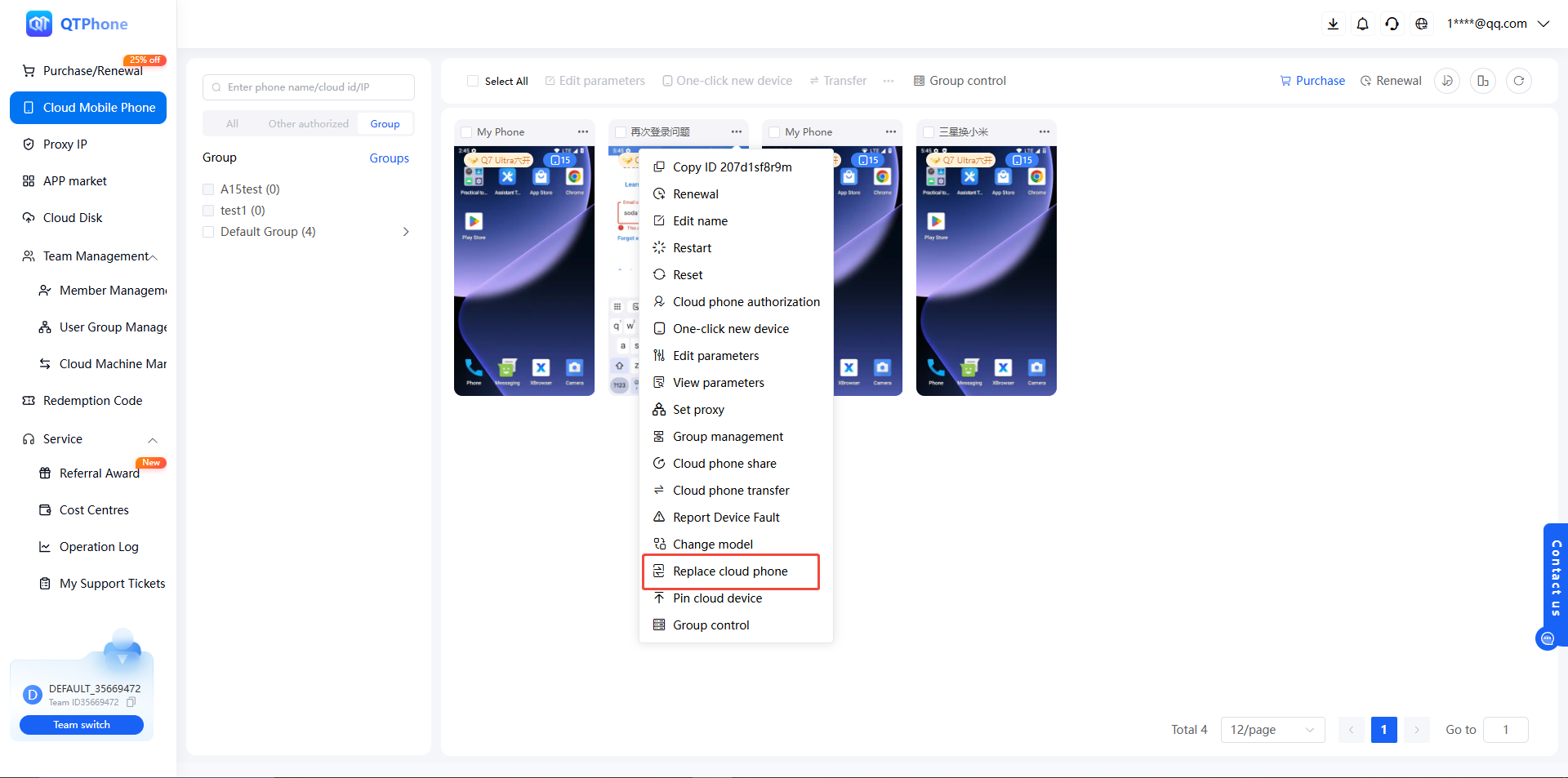
- Find the target cloud phone and click Replace Cloud Phone in the cloud phone operations;
- In the dialog, confirm the replacement rules (remaining time requirement, refresh attempt consumption, and data clearing notice);
- Confirm and wait for the replacement to complete, then use the brand-new cloud phone.
4. Notes
- Replacement clears all data and cannot be undone; back up important data in advance, for example by downloading files out of the cloud phone — see Cloud Phone File Download to Local;
- A cloud phone with less than 60 minutes of remaining time cannot be replaced; renew it first;
- Replacement consumes refresh attempts, shared with Change Device Model and Quick New Device (99 per cloud phone per month); no further replacements are possible once the monthly quota is used up, and the quota resets each month;
- The cloud phone is temporarily unavailable during the replacement; do not perform other operations at the same time.
5. FAQ
Q1: Are the remaining duration and plan kept after the replacement? Yes. Replacement requires more than 60 minutes of remaining time, and the new cloud phone continues with the original plan and remaining duration.
Q2: What if I have used up the replacement attempts? Replacing a cloud phone consumes refresh attempts — each cloud phone comes with 99 attempts per month, shared with Change Device Model and Quick New Device; once the monthly quota is used up, no further replacements are possible until it resets next month.
Q3: What is the difference between replacing a cloud phone and Quick New Device? Quick New Device generates a brand-new device fingerprint on the original cloud phone, with optional model change and proxy retention; replacing a cloud phone directly swaps it for a brand-new instance, and the data is likewise cleared and cannot be recovered. Both consume refresh attempts (99 per cloud phone per month, shared quota) — see Quick New Device.
Q4: How do I back up data before replacing? Download important files from the cloud phone to your local storage — see Cloud Phone File Download to Local. The original data cannot be recovered after the replacement.