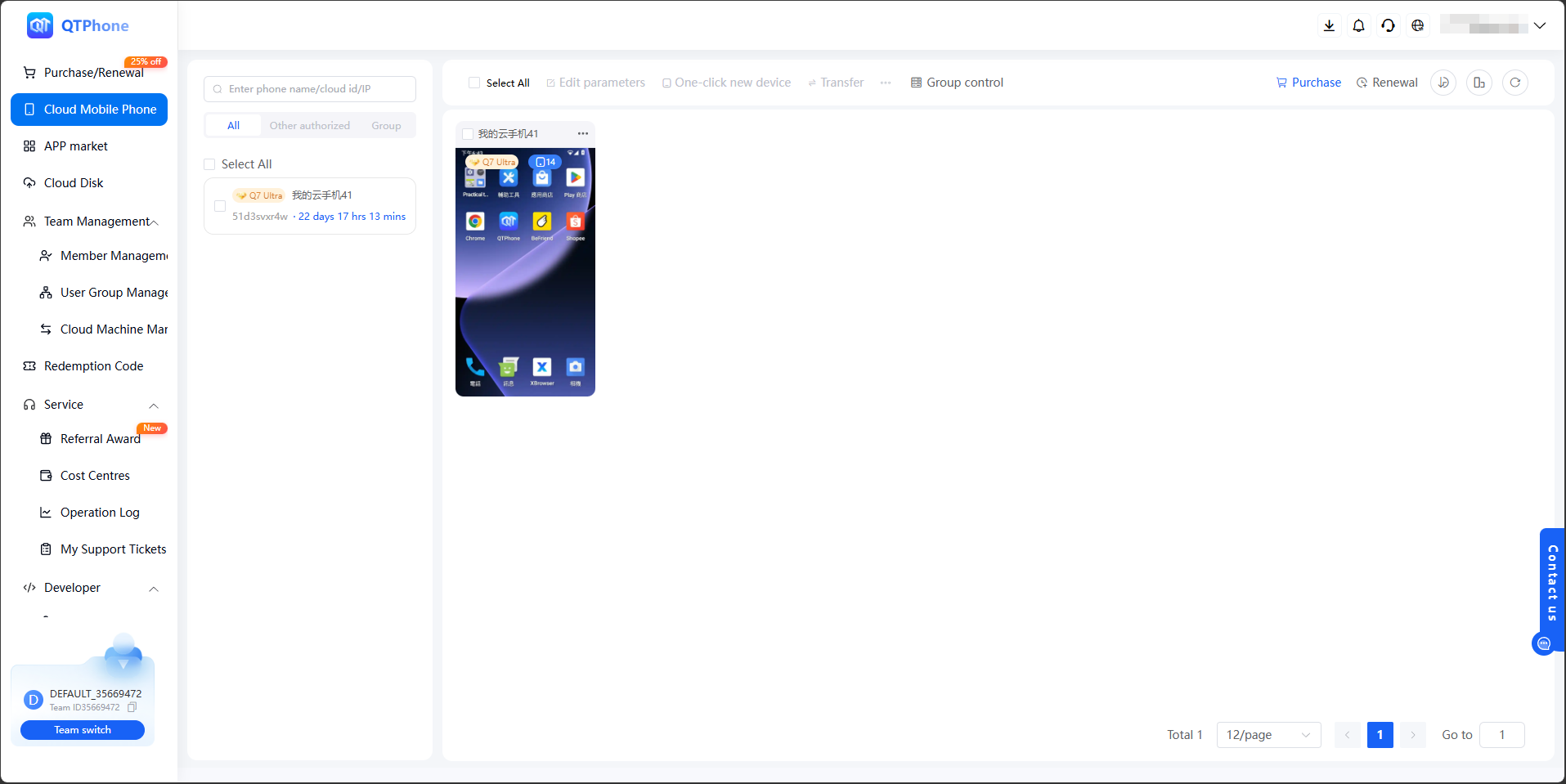
Create a Cloud Phone
This guide will help you quickly complete the cloud phone creation process. The overall flow is divided into four steps: registration, purchase, configuration, and payment, which is ideal for beginners to follow in order.
1. Account registration
Registration address:
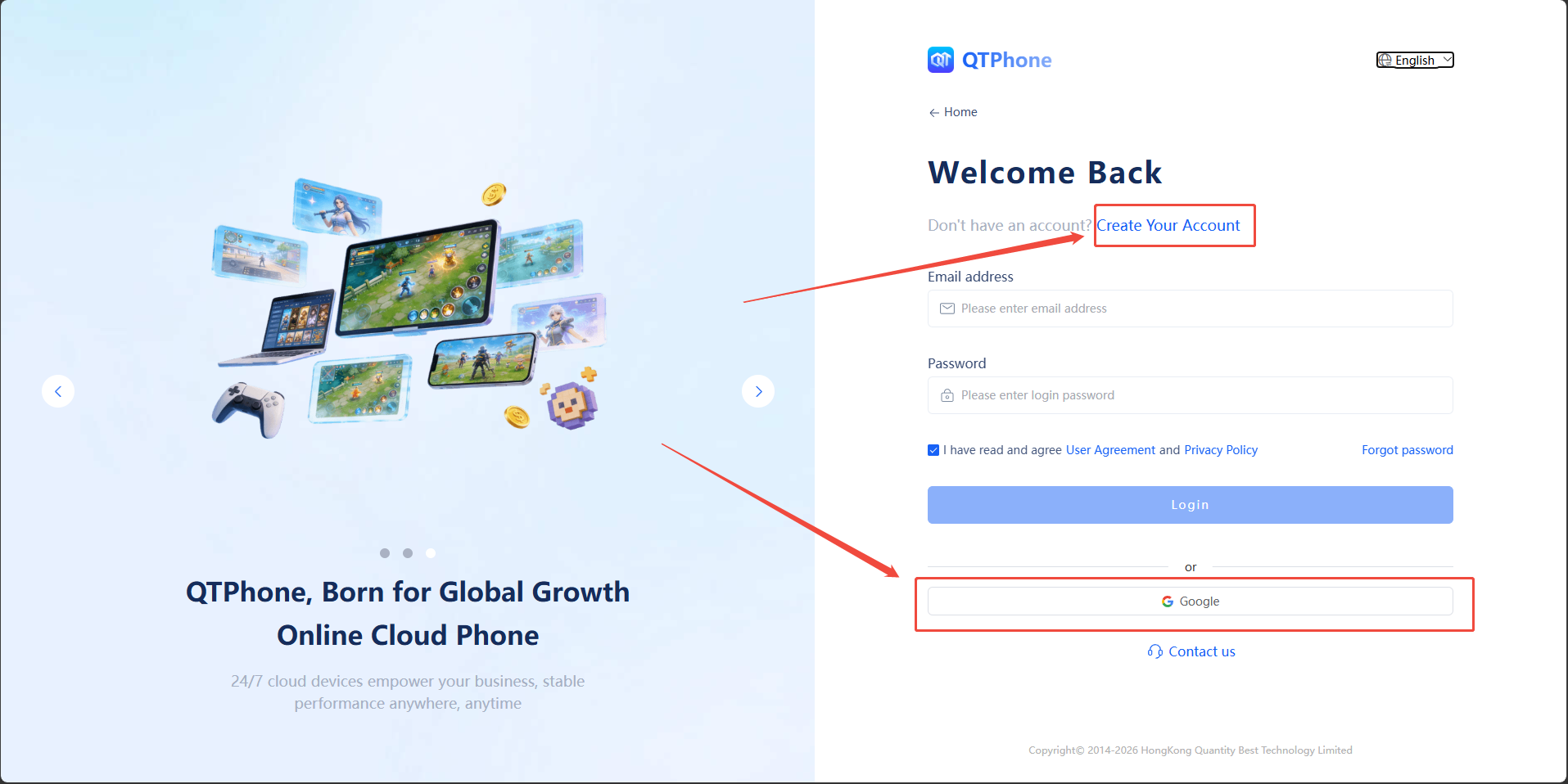
- Option 1: Register directly using Google login
- Option 2: Click Create Your Account and complete registration with a verification code
2. Purchase the cloud phone
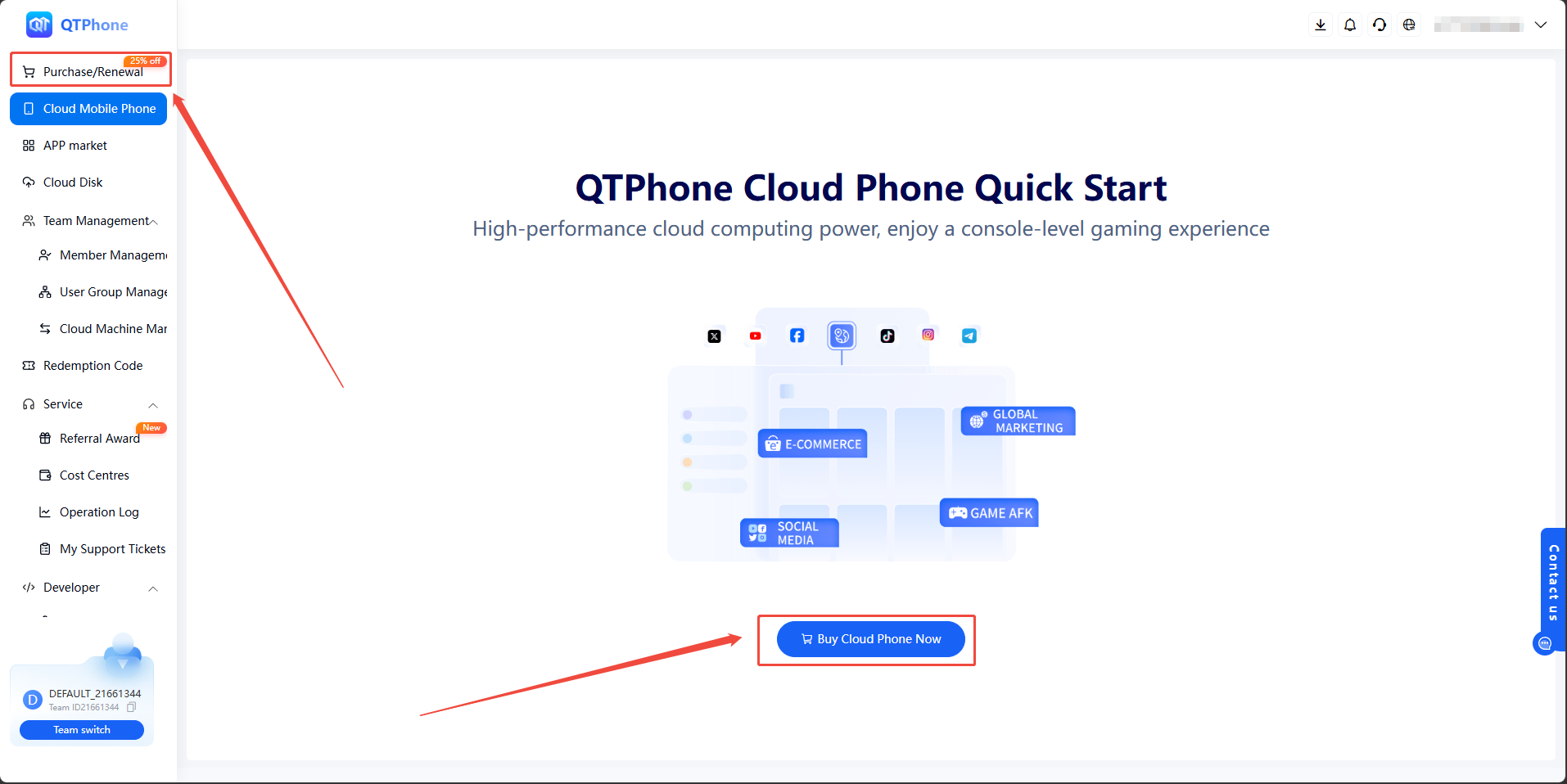
- Option 1: Click Buy Cloud Phone now
- Option 2: Click "Purchase/Renewal" in the left sidebar
3. Configure product information
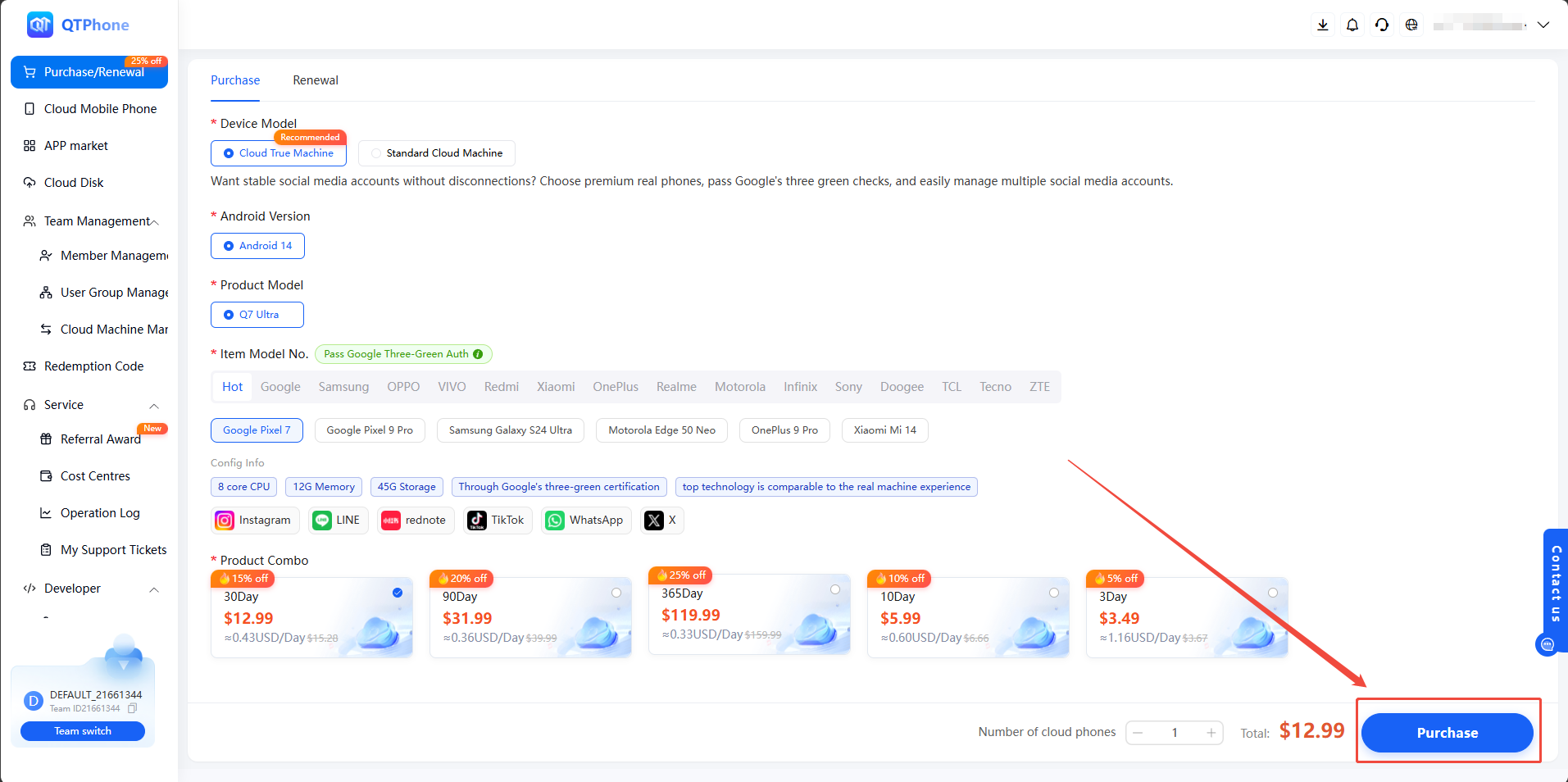
Select the device model, Android version, product model, brand model, and package, then click "Buy Cloud Phone" in the lower-right corner to proceed.
4. Confirm payment
The currently supported payment methods include PayPal, WeChat Pay, Alipay, VISA, Google Pay, and more (31 in total). After selecting the payment method, click "Submit Purchase" to complete the cloud phone purchase.
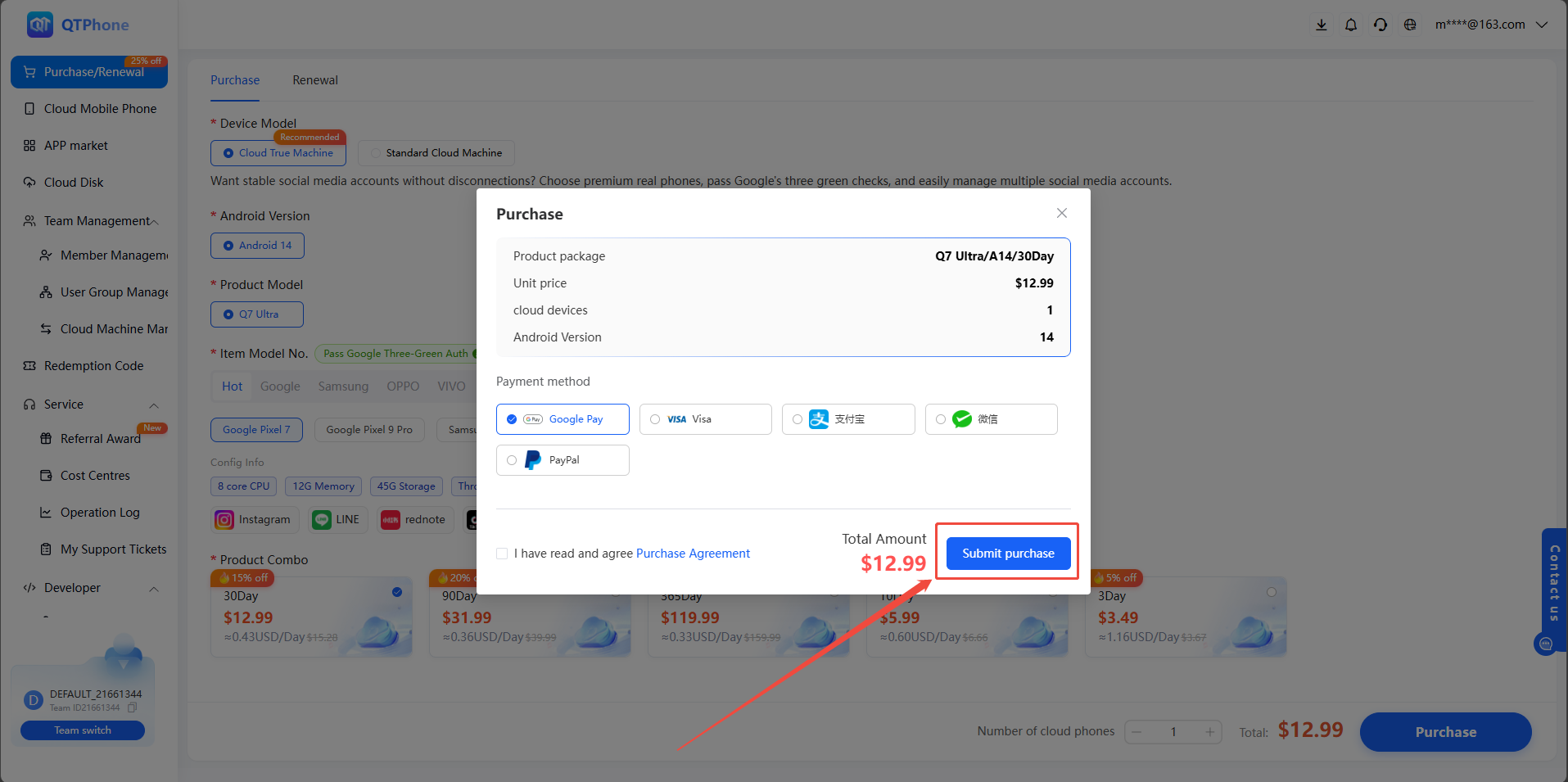
Once the steps above are completed, the cloud phone will be ready for use and can be logged into directly for subsequent operations.