
Cloud Phone Transfer
1. What Is Cloud Phone Transfer?
Cloud phone transfer refers to transferring the ownership of a cloud phone under your name to another QTPhone account. After a successful transfer, the cloud phone is removed from your account and becomes owned by the recipient's account.
- Cloud phone transfer transfers the entire cloud phone (including remaining duration) to another account, not just the remaining time of the cloud phone;
- The recipient must be a registered QTPhone account;
- Please use the cloud phone transfer feature reasonably and legally.
2. Why Transfer?
- When team members change or you have too many cloud phones to manage, you can give away / hand over an entire cloud phone to someone else;
- When changing accounts, you can move cloud phones to a new account;
- When you need to hand over multiple cloud phones at once, batch transfer is supported for efficiency.
3. How to Transfer a Cloud Phone
1. Transferring a Single Cloud Phone
A single cloud phone can be transferred through either of the following entries:
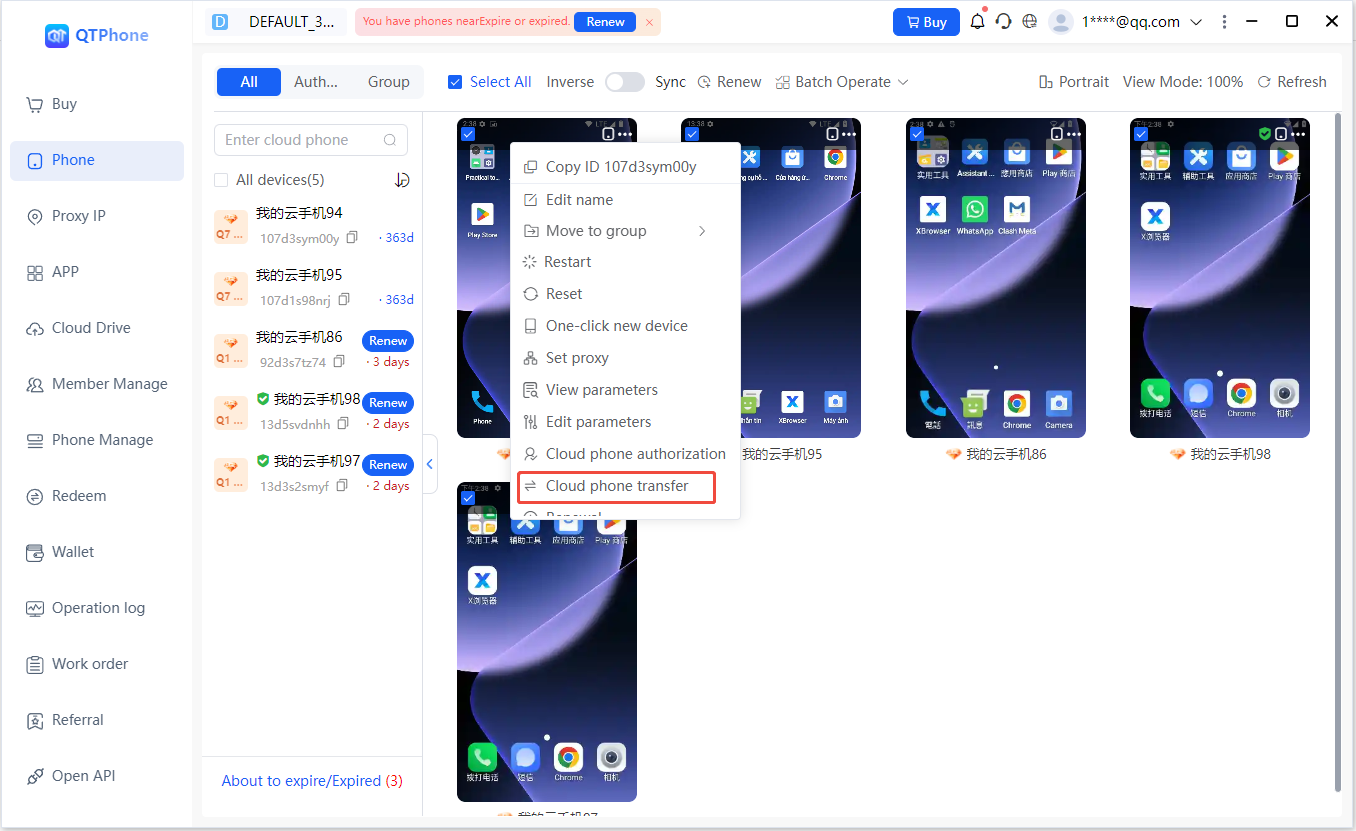
- Method 1: go to the My Cloud Phones list, select the cloud phone to transfer, and click the Transfer entry;
- Method 2: click Authorize / Transfer in the menu bar, select the Transfer function, and select that cloud phone.
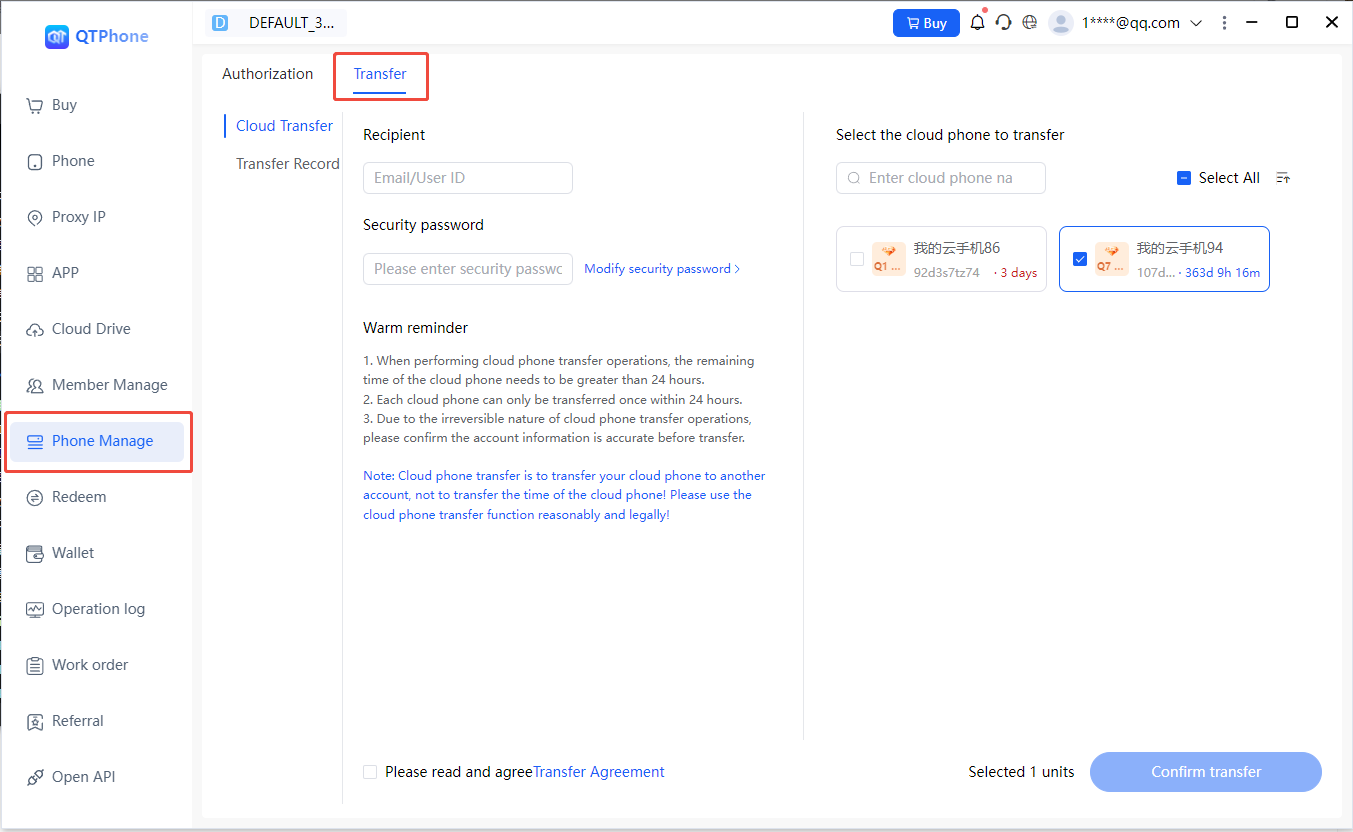
On the transfer page:
- Enter the recipient's email or user ID (must be a registered QTPhone account);
- Confirm or set the security password;
- Check the box to agree to the Cloud Phone Transfer Agreement;
- Carefully verify the recipient's account information;
- Confirm the transfer.
After a successful transfer, the cloud phone is removed from your account and becomes owned by the recipient's account.
2. Batch Transfer
Batch transfer also supports two entries:
- Method 1: go to the My Cloud Phones list, multi-select the cloud phones to transfer, and click Transfer;
- Method 2: click Authorize / Transfer in the menu bar, enter the Transfer function, and check the multiple cloud phones to transfer.
In a batch transfer, multiple cloud phones are transferred uniformly to the same recipient account.
3. Transfer Rules
- When performing a cloud phone transfer, the cloud phone must have more than 24 hours remaining;
- Each cloud phone can only be transferred once within 24 hours;
- Cloud phone transfer is irreversible; please confirm the account information is correct before transferring.
4. Setting and Changing the Security Password
The security password is used for transfer-related operations on your account and is an account-level setting.
- After registering a QTPhone account, the system does not automatically set a security password for you;
- You can set or change the security password on the transfer page;
- You can also go to the personal information page and click Change Password to set or change it;
- If you forget the security password, you can retrieve or reset it via a verification code sent to your registration email.
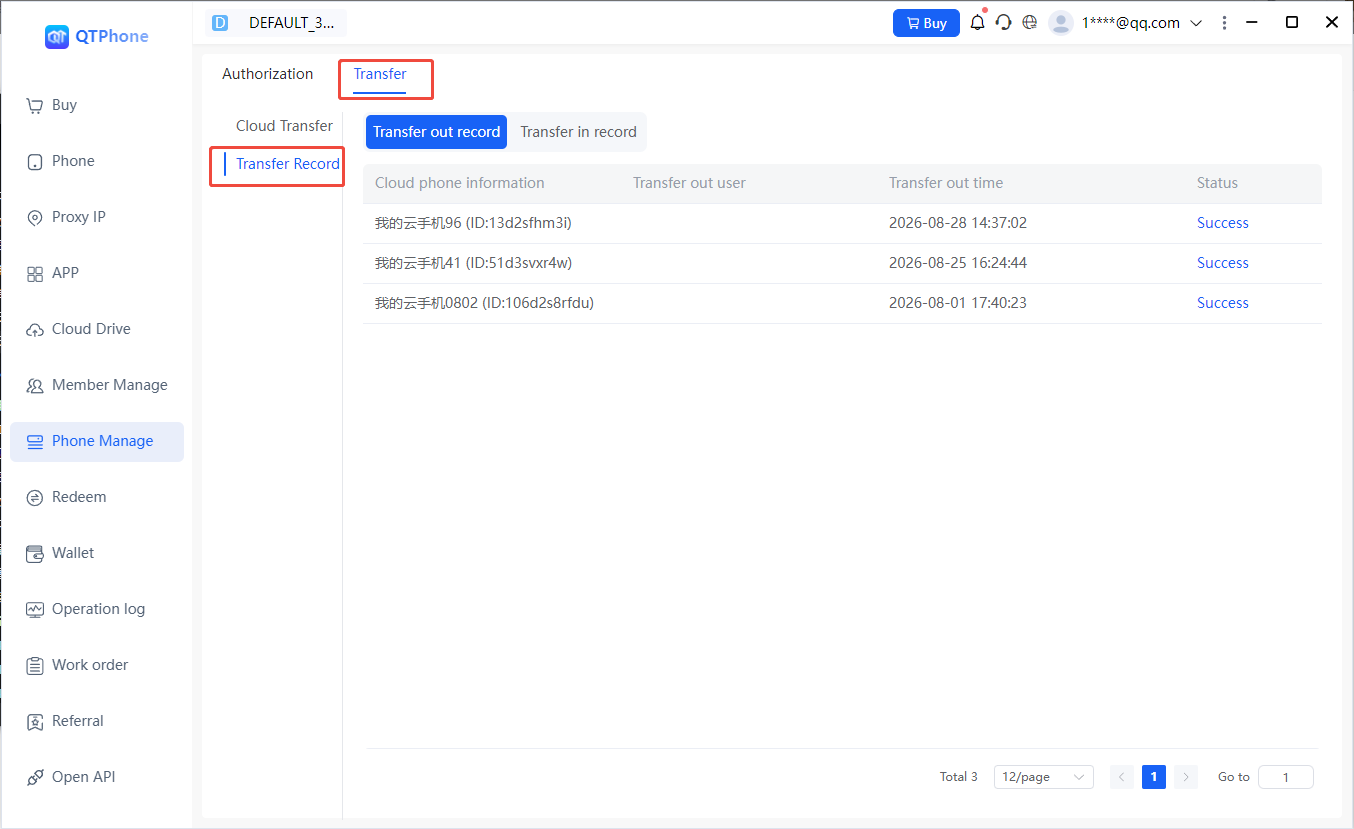
It is recommended to set the security password in advance to avoid the inconvenience of setting it during a transfer.
5. Transfer Records
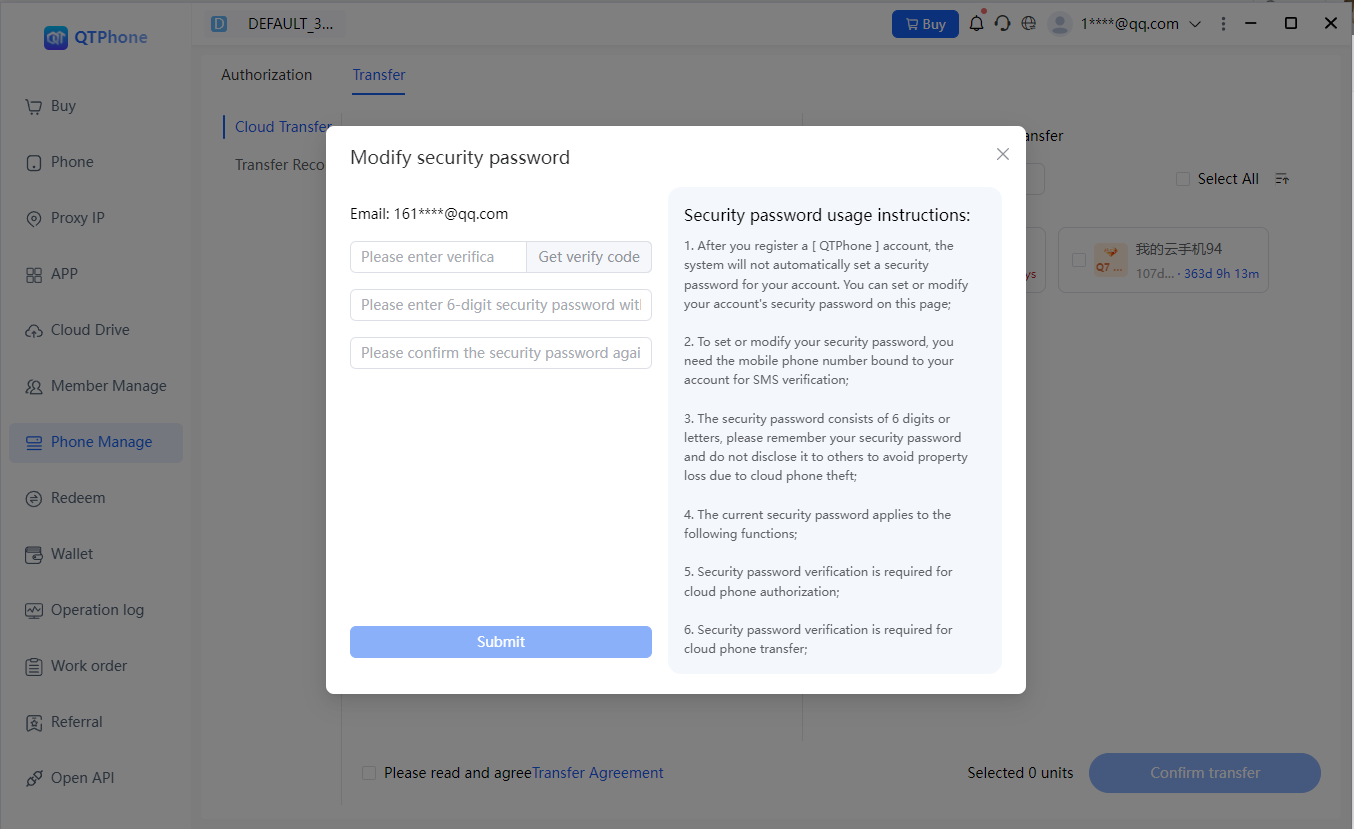
In the Transfer Records page of the Cloud Phone Transfer page, you can view all historical transfer-in and transfer-out records for traceability. The record includes:
- Cloud phone information
- Transfer-out user
- Transfer-out time
- Status
6. Notes and Risk Notice
- Cloud phone transfer transfers the entire cloud phone (including remaining duration) to another account, not just the remaining time of the cloud phone; please use this feature reasonably and legally.
- Cloud phone transfer is irreversible; before transferring, carefully verify the recipient's account information and confirm it is correct before proceeding.
- After a successful transfer, the cloud phone is removed from the transferor's account and becomes owned by the recipient's account; the transferor no longer has operation or control permissions over the cloud phone.
- The recipient must be a registered QTPhone account; confirm the recipient's account is correct before transferring.
- Do not transfer cloud phones to accounts other than your own, to avoid security risks such as cloud phone data loss and account theft.
- In a batch transfer, multiple cloud phones are transferred uniformly to the same recipient account.