
Change Device Model
Changing the device model switches a cloud phone to another brand model. Changing the model consumes the cloud phone's refresh attempts — each cloud phone comes with 99 refresh attempts per month that can be used to change the model. Both single and batch operations are supported.
1. Feature Overview
- Model switching: switch the cloud phone to a target brand model; available models are subject to those shown in the replacement dialog;
- Attempt consumption: changing the model consumes refresh attempts — each cloud phone comes with 99 attempts per month, and the remaining attempts can be viewed in the cloud phone information;
- Batch operation: change the model for multiple cloud phones at once.
2. Prerequisites
- A purchased cloud phone visible in the My Cloud Phones list;
- Remaining refresh attempts are greater than 0.
3. Steps
1. Change the Model for a Single Cloud Phone
- Go to the My Cloud Phones list;
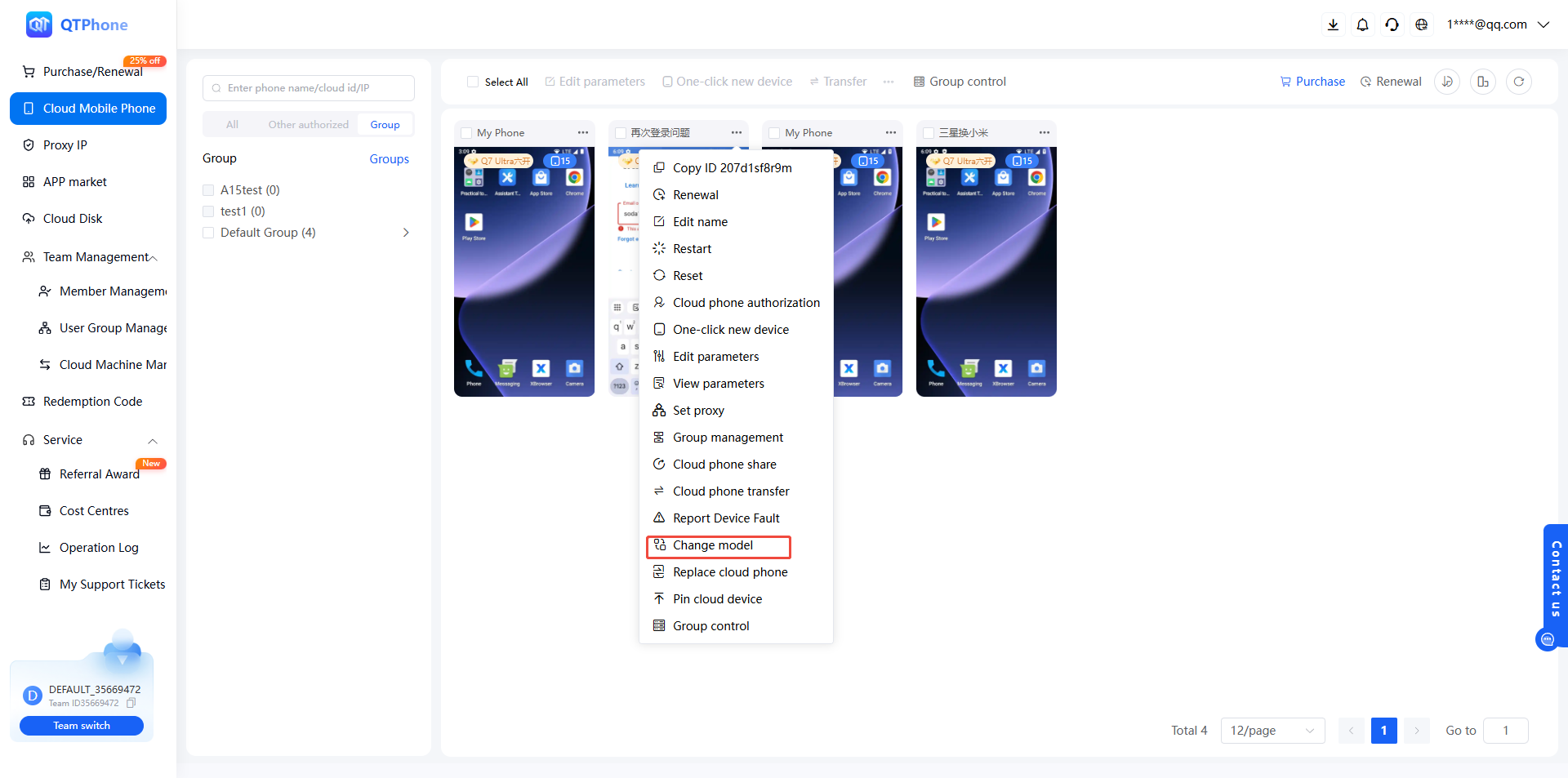
- Find the target cloud phone and click Change Device Model in the cloud phone operations;
- In the dialog, select the target model;
- Confirm and wait for the change to complete.
2. Batch Change Device Model
- In the My Cloud Phones list, check the cloud phones to change;
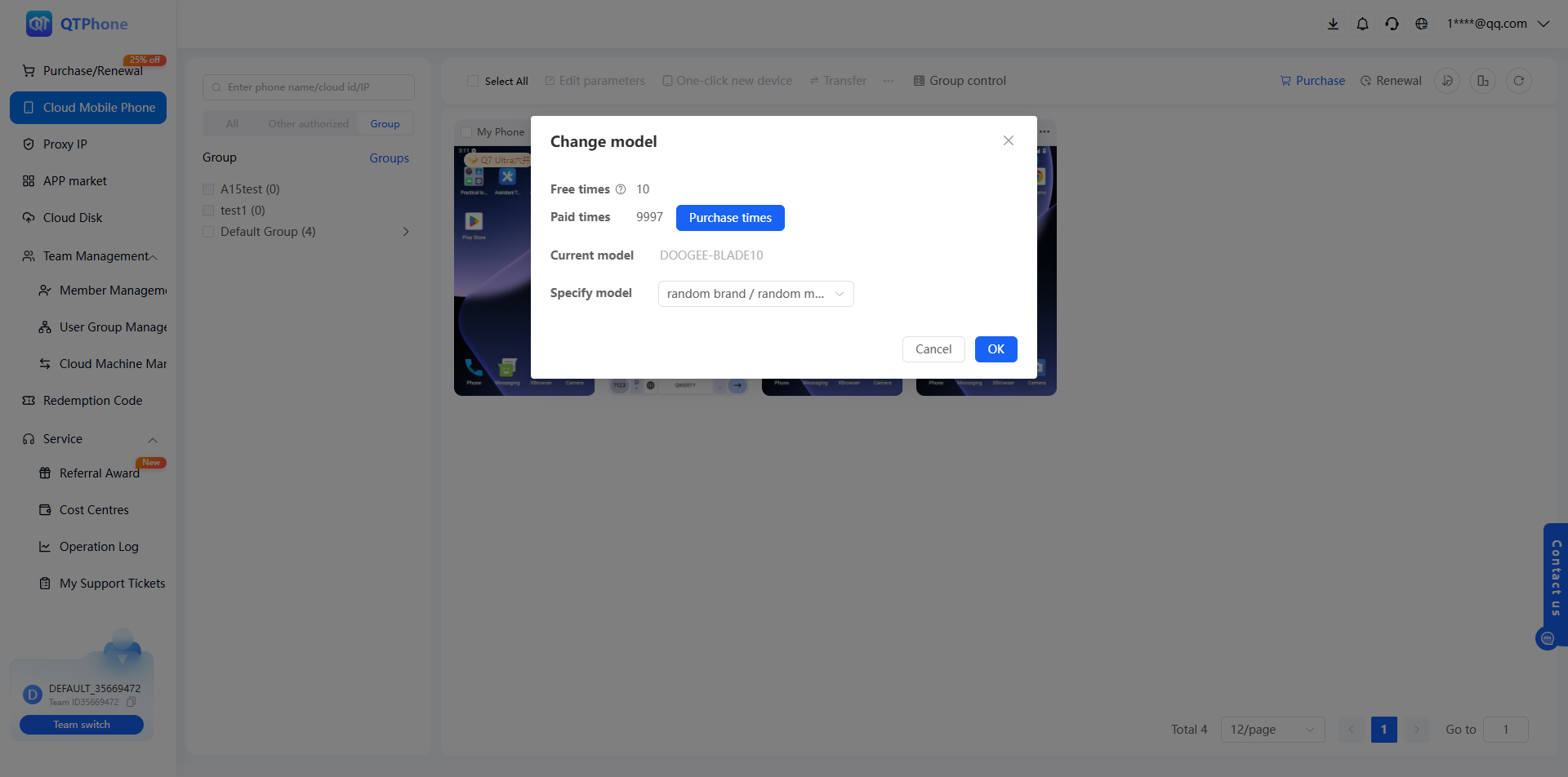
- Click Change Device Model to switch the selected cloud phones to the same model;
- Select the target model and confirm.
4. Notes
- Changing the model consumes refresh attempts, shared with Quick New Device and Replace Cloud Phone; plan usage accordingly;
- Once the refresh attempts are used up, no further changes are possible until the quota resets next month; the remaining attempts can be viewed in the cloud phone information;
- To generate a brand-new device fingerprint and clear data while changing the model, use Quick New Device instead;
- Developers can change models via the Batch Change Model API and query available models via Get Brand Models.
5. FAQ
Q1: What attempts does changing the model consume? It consumes the cloud phone's refresh attempts. Each cloud phone comes with 99 refresh attempts per month that can be used to change the model; the remaining attempts can be viewed in the cloud phone information.
Q2: Which models are available? Available models are subject to those shown in the replacement dialog; developers can query them via the Get Brand Models API.
Q3: What if the refresh attempts are used up? No further model changes, Quick New Device, or cloud phone replacement operations are possible until the quota resets next month (99 attempts per cloud phone per month); plan usage carefully.
Q4: How do developers change the model via the API? Use the Batch Change Model API with the target model modelId and the container ID list ctrIdList; callbacks are supported.