
Purchase and Renew Proxy IPs
Through the Proxy IP module, you can purchase proxy IP resources, bind them to cloud phones, renew existing proxy IPs to extend their usage duration, and import your own proxies via custom import for use on cloud phones.
1. Overview
| Proxy IP Type | Line Selection | How to Purchase |
|---|---|---|
| Static Residential Proxy | Native residential / Broadcast residential | Select the line and region, then purchase the corresponding plan |
| Static Datacenter Proxy | Shared / Premium | Select the line and region, then purchase the corresponding plan |
| Dynamic Residential Proxy | — | Purchase the corresponding plan directly |
In addition to purchasing platform proxies, the Proxy IP module also supports custom import, which lets you import your own proxies for centralized management.
Purchased or imported proxy IPs can be bound to cloud phones in two ways:
| Binding Method | Description |
|---|---|
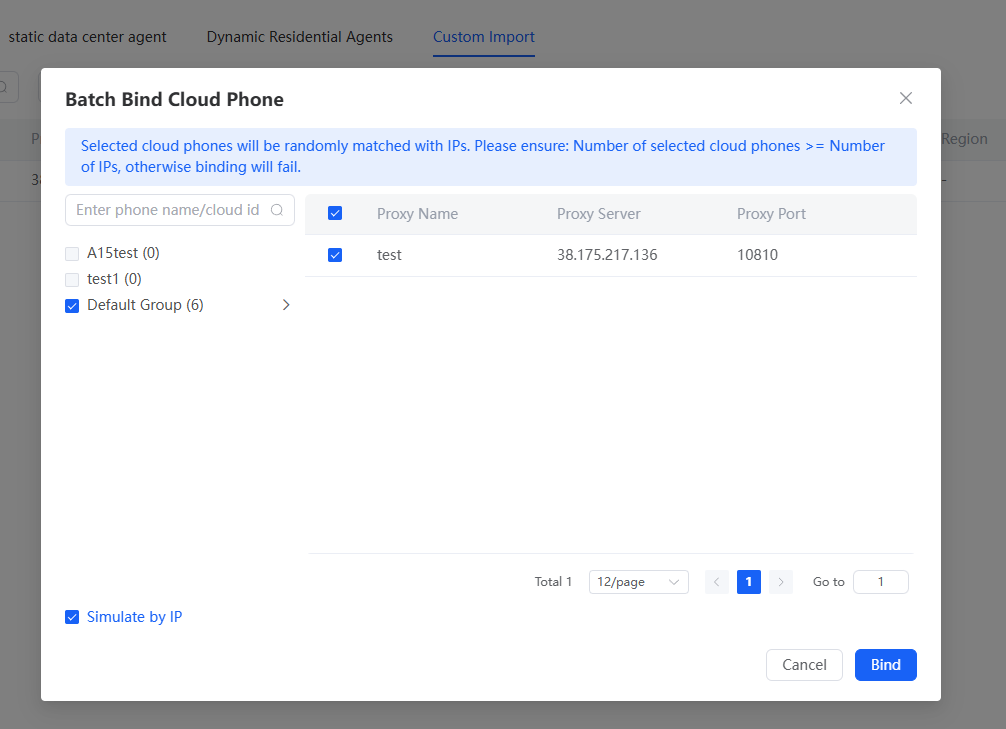
| Batch binding | Selected cloud phones and IPs are matched and bound randomly. Ensure the number of selected cloud phones ≥ the number of IPs, otherwise the matching will fail |
| Single proxy binding | Bind cloud phones by cloud phone group |
Supported payment methods: PayPal, WeChat Pay, Alipay, VISA, Google Pay, and more (31 in total).
2. Prerequisites
- A registered QTPhone account, logged in
- An available payment method (e.g., PayPal, WeChat Pay, Alipay, VISA, or Google Pay)
- To use custom import, have the connection information of your own proxies ready
3. Steps
1. Open Proxy IP
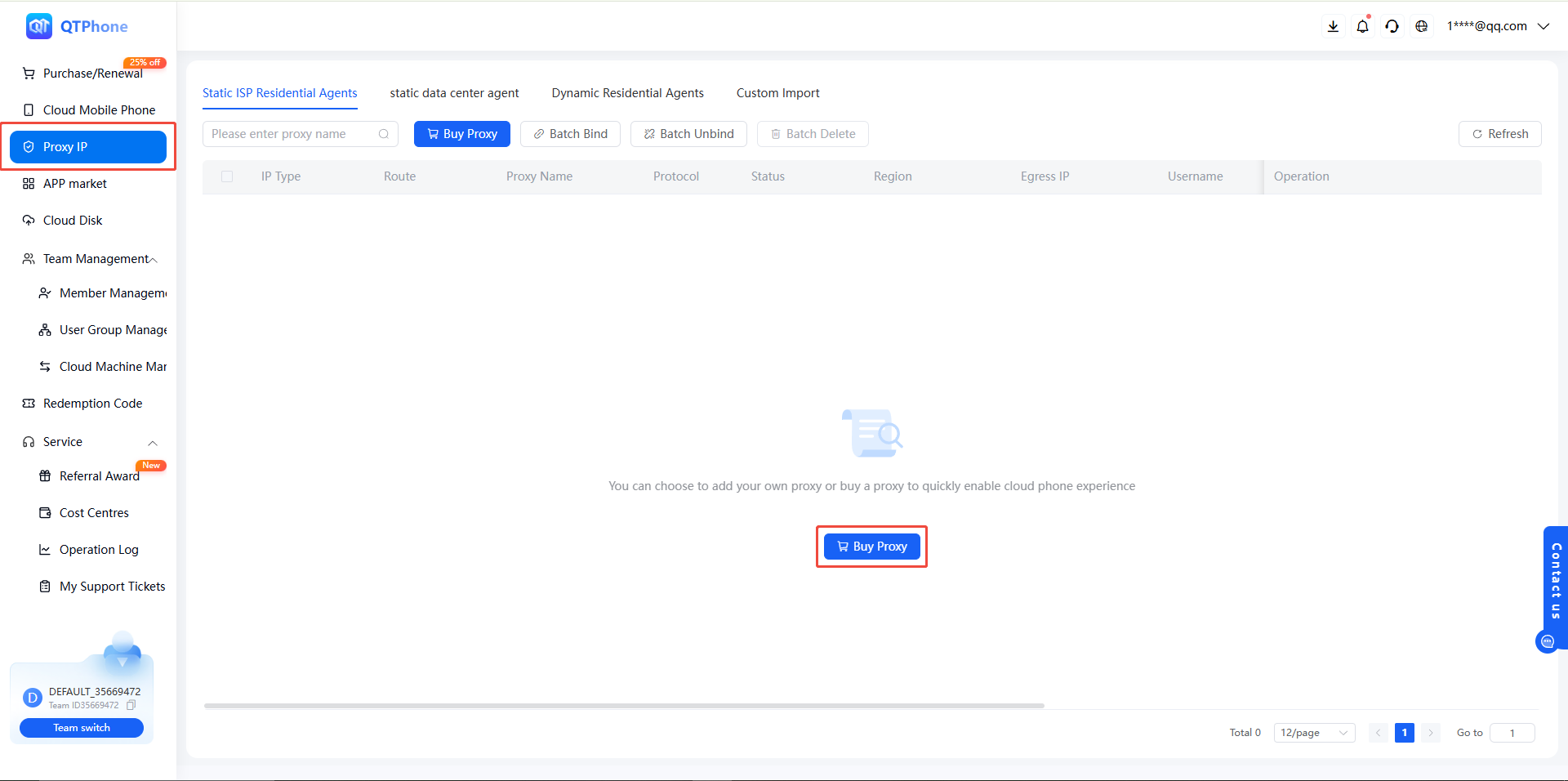
After logging in, click Proxy IP in the left navigation.
2. Purchase a Proxy IP
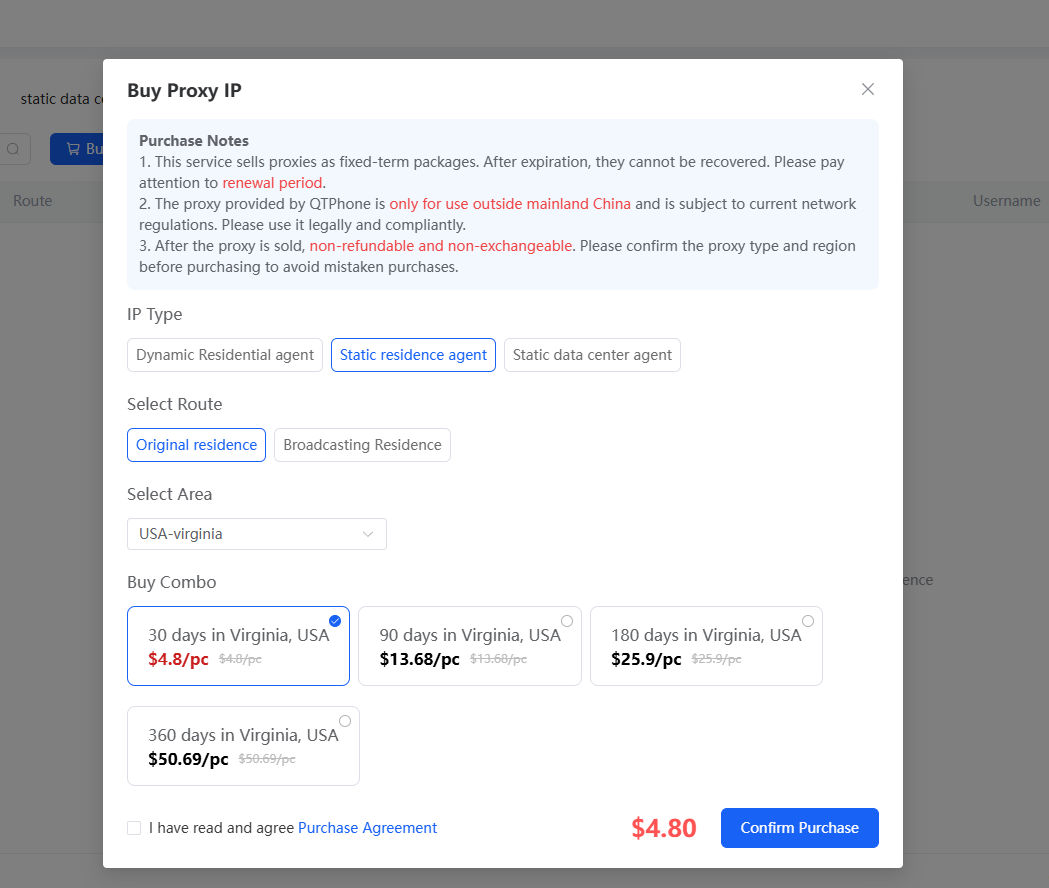
- Select the proxy IP type:
- Static Residential Proxy: select a line (native residential or broadcast residential), then a region, and purchase the corresponding plan;
- Static Datacenter Proxy: select a line (shared or premium), then a region, and purchase the corresponding plan;
- Dynamic Residential Proxy: purchase the corresponding plan directly;
- Confirm the order and click Submit Purchase;
- Select a payment method and complete the payment as prompted.
3. Renew a Proxy IP
- On the Proxy IP page, select the proxy IP to renew;
- Select the renewal duration;
- Confirm the order, choose a payment method, and complete the payment.
After the payment succeeds, the renewed duration is automatically added to the corresponding proxy IP.
4. Custom Import
If you already have your own proxies, you can import them into the Proxy IP module for centralized management:
- Open the custom import feature on the Proxy IP page;
- Enter your own proxy information and submit it to complete the import.
Imported proxies are managed together with purchased proxy IPs and can also be bound to cloud phones.
5. Bind Cloud Phones
After purchasing or importing, you can bind proxy IPs to cloud phones:
- Batch binding: select multiple cloud phones and proxy IPs at the same time, and the system matches and binds them randomly;
- Single proxy binding: bind cloud phones by cloud phone group.
4. Notes
- For batch binding, ensure the number of selected cloud phones ≥ the number of IPs, otherwise the matching will fail
- Renew the proxy IP before it expires to avoid interrupting your business
- Imported proxies are maintained by yourself; make sure the proxy information is accurate and available
5. FAQ
Q1: Which payment methods are supported?
PayPal, WeChat Pay, Alipay, VISA, Google Pay, and more — 31 payment methods in total.
Q2: What should I do if batch binding fails?
In batch binding, selected cloud phones and IPs are matched randomly, and the number of selected cloud phones must be ≥ the number of IPs. Check whether the selected quantities meet this requirement and retry.
Q3: What is the difference between purchasing proxy IPs, custom import, and setting a cloud phone proxy?
The three are independent of each other; choose as needed:
- Purchasing proxy IPs: buy the proxy IP resources provided by the platform and bind them to cloud phones;
- Custom import: import your own proxies into the Proxy IP module, manage them together with purchased ones, and bind them to cloud phones;
- Setting a cloud phone proxy: configure your own Socks5/HTTP proxy directly on a single cloud phone. See Set Cloud Phone Proxy.
Q4: When does the renewed duration take effect?
After the payment succeeds, the renewed duration is automatically added to the corresponding proxy IP. No extra action is required.